How to Build a Paid Online Community with Learner Journey: A Step-by-Step Guide
Create your own community, publish courses, engage members and generate recurring revenue - all from one platform.

Building a paid online community used to mean combining several different tools: a website builder, a learning management system, a discussion platform, a membership system and a payment provider.
Not anymore.
With Learner Journey, you can bring everything together in one place. Whether you’re an educator, coach, professional association, training provider or entrepreneur, you can create a branded community where people connect, learn, share ideas and pay for access to valuable content.
You don’t need to be a developer. You don’t need to manage multiple subscriptions. And you don’t need to build your own technology.
In this guide, we’ll walk through how to launch your own paid community using Learner Journey, from creating your first workspace to accepting payments through Stripe.
Step 1: Sign Up for Learner Journey
Getting started is simple.
Visit learnerjourney.com and create your account.
Once registered, you’ll have access to the Learner Journey platform, where you can create content, build courses, manage communities and organise learning experiences.
You can start building your community before deciding how you want to charge members.
Getting started:
Visit learnerjourney.com.
Select the sign-up option.
Register your account.
Sign in to your dashboard.
Create your first workspace.
Your workspace will become the home of your new community.
Step 2: Create Your Community Workspace
A workspace is your own dedicated area within Learner Journey.
Think of it as your community’s website, learning platform and social network combined.
Each workspace can have its own identity, content, members, events and learning experiences.
For example, you might create:
A professional development community for teachers.
A paid coaching and mentoring network.
A membership organisation for industry professionals.
An online academy offering specialist courses.
A community for entrepreneurs and business leaders.
A private learning network for employees.
Setting up your workspace
From your Learner Journey dashboard, create a new workspace.
Give it a name that reflects your community.
For example:
The AI Educators Community
You can then personalise your workspace by adding:
Your organisation’s name and logo.
A description of your community.
Your brand colours and visual identity.
Pages explaining what members receive.
Content, courses and learning resources.
Your workspace becomes the central destination where members access everything you offer.
Tip: Start with a clear description of the value people receive by joining. People are more likely to pay for a community when they understand its purpose and benefits.
Step 3: Create Valuable Content for Your Members
The most successful paid communities give members a reason to return regularly.
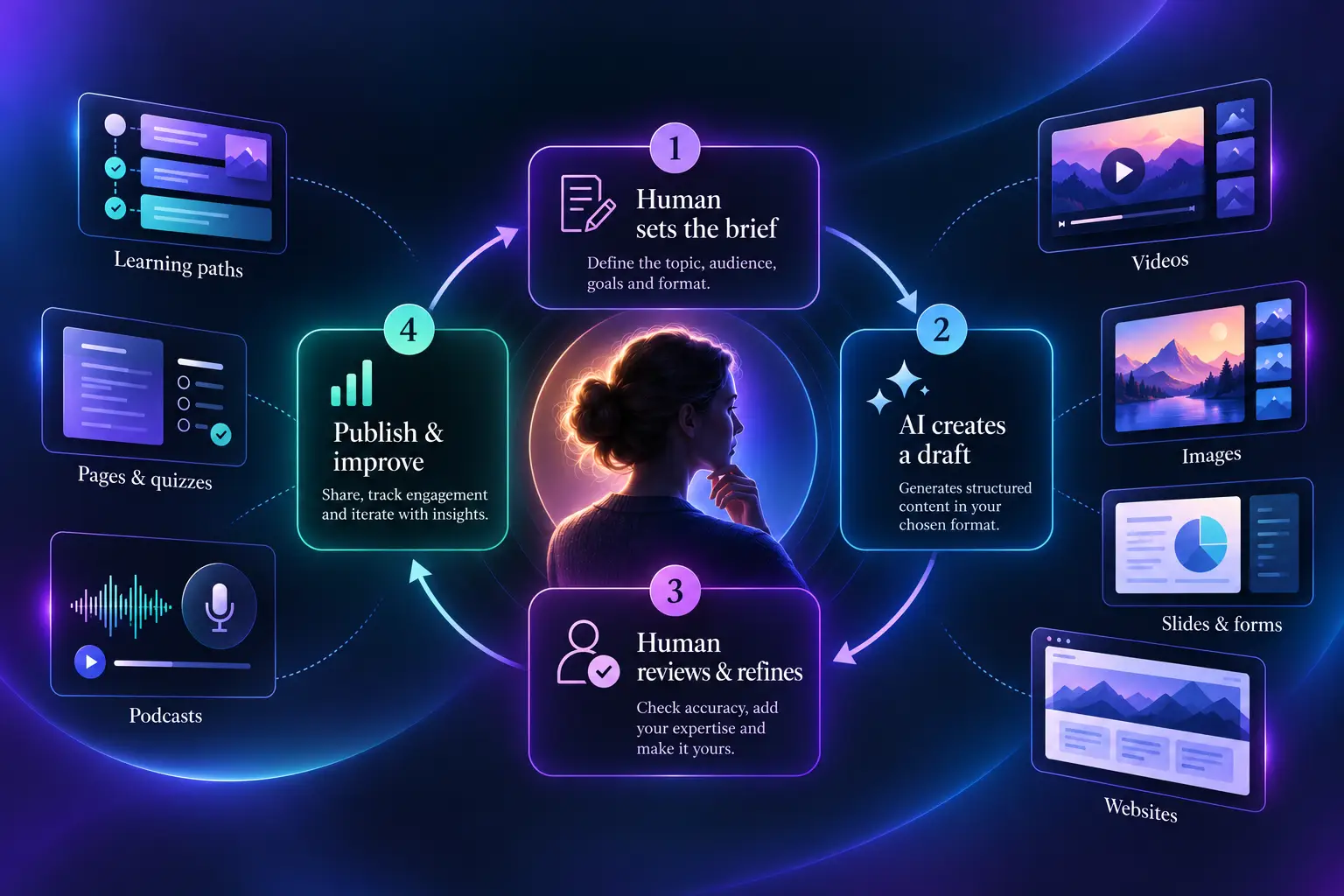
Learner Journey includes content creation tools that allow you to build a library of valuable resources directly within your workspace.
You can create:
Pages and articles
Publish educational content, professional guidance, news, resources and practical advice.
Videos and podcasts
Share recorded presentations, interviews, tutorials and expert discussions.
Quizzes and assessments
Help members test their knowledge and measure their understanding.
Learning resources
Upload documents, presentations and other materials that support your community.
AI-assisted content
Use Learner Journey’s AI tools to help generate and develop educational content more quickly.
For example, an AI educators’ community might publish weekly teaching resources, practical AI tutorials, classroom activities and professional development materials.
Over time, this becomes a valuable library that members can access through their subscription.
Why content matters
People rarely continue paying for access to a community that never changes.
Regularly publishing useful resources helps demonstrate the ongoing value of membership.
And because everything sits within Learner Journey, members don’t need to visit multiple websites to find your content.
Step 4: Build Online Courses and Learning Paths
One of Learner Journey’s biggest advantages is that your community can also function as a learning platform.
Instead of simply sharing posts and resources, you can create structured learning experiences.
How to create a course
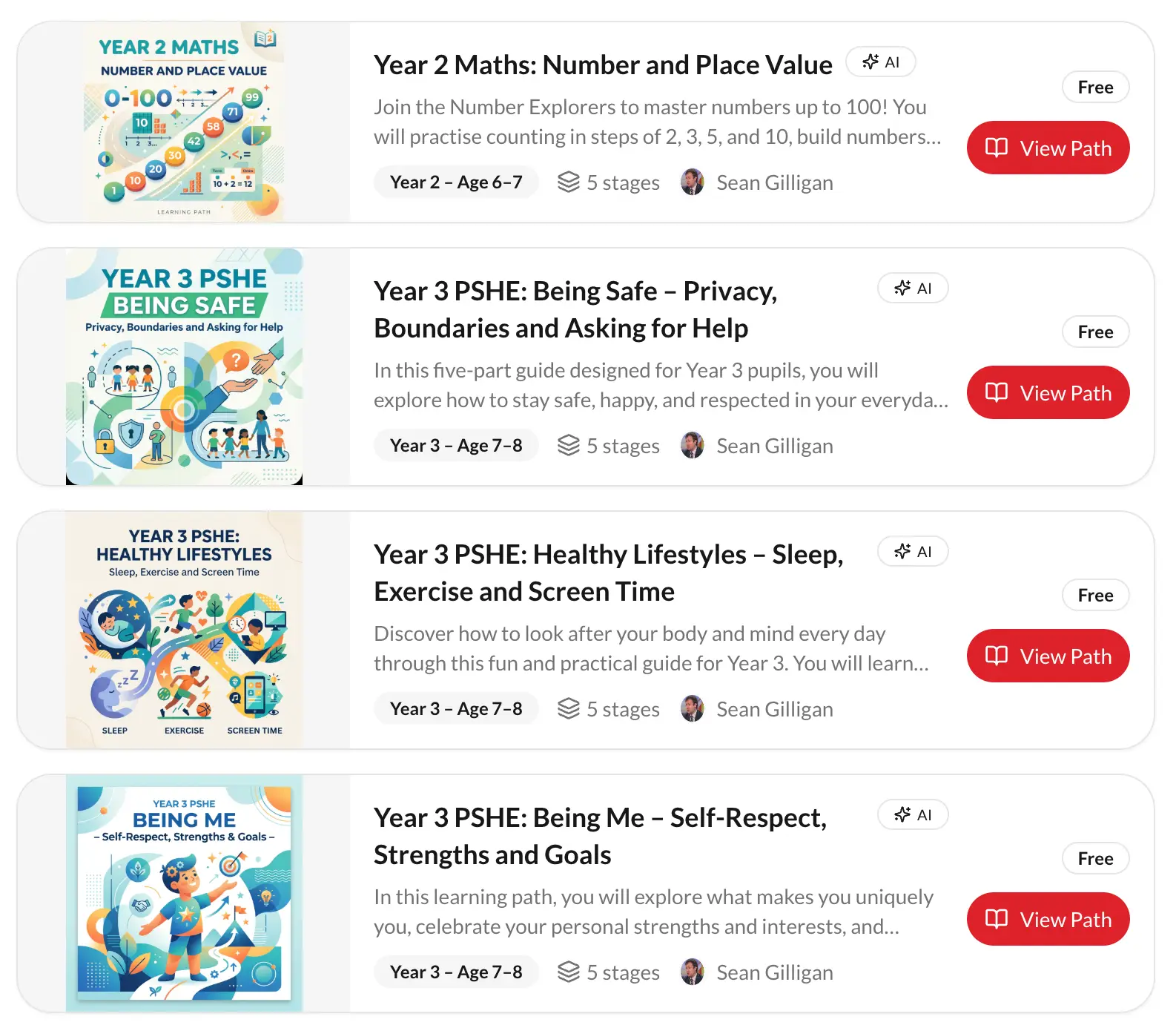
Within your workspace, use the learning content tools to create a Learning Path.
A Learning Path brings together different activities into a structured programme.
For example:
Course: Introduction to AI for Teachers
Module 1: Understanding artificial intelligence
Module 2: Using AI to reduce workload
Module 3: Creating AI-assisted lesson plans
Module 4: AI safety and responsible use
Module 5: Practical classroom applications
Each module can contain pages, videos, quizzes, assessments and other learning materials.
Members work through the content at their own pace.
You can also track learning progress and award certificates when learners complete eligible courses or learning paths.
Turn expertise into revenue
This opens up several commercial opportunities.
You might include introductory courses as part of a monthly community subscription while offering more advanced courses for an additional fee.
For example:
Free community access with introductory resources.
£15 per month for premium learning content.
£99 for a specialist training course.
£299 for an advanced certification programme.
These are illustrative prices. You decide what to charge for your community and learning experiences.
The key benefit is flexibility: you can combine community membership, professional development and paid learning within one platform.
Step 5: Build Engagement with the Social Timeline
Content is important, but a successful community is about more than watching videos and completing courses.
It’s about people connecting with one another.
Learner Journey’s social timeline provides a place for members to communicate, share ideas and participate in community discussions.
Think of it as a social feed dedicated to your community.
Instead of sending members to an external social network, you can encourage conversations within your own workspace.
What can you use the timeline for?
Start discussions
Ask questions, share ideas and encourage members to contribute their experiences.
Publish community updates
Keep members informed about new resources, upcoming courses and important announcements.
Share knowledge
Encourage people to exchange practical tips, useful information and professional insights.
Celebrate achievements
Recognise members who complete learning programmes or achieve important milestones.
Encourage participation
Use regular discussion topics to keep your community active.
Example: A community for school leaders
Imagine running a paid community for headteachers and school leaders.
Every Monday, you publish a discussion question:
What’s the biggest challenge facing your school this week?
Members can share experiences and discuss possible solutions.
On Wednesday, you publish a new professional development resource.
On Friday, you encourage members to reflect on what they’ve learned.
This creates a regular rhythm of activity.
The more valuable the conversations, the more reasons members have to remain part of your community.
Step 6: Connect Stripe to Accept Payments
Once you’ve created your workspace and added valuable content, the next step is to start charging for access.
Learner Journey integrates with Stripe, allowing you to accept online payments.
Stripe securely processes payments, meaning you don’t need to build your own payment infrastructure.
How to get started
Open your workspace administration area.
Find the relevant payment or Stripe settings.
Connect your organisation’s Stripe account.
Complete any required Stripe verification.
Configure your paid access or membership options.
Test the payment and access process before launch.
Once connected and configured, Stripe can handle payments from customers purchasing access to your community or eligible paid learning products.
There are two main ways to monetise your workspace.
Step 7: Option One - Charge for Access to Your Community
The first approach is to charge people to become members of your workspace.
This works particularly well for professional associations, coaching communities, membership organisations and specialist networks.
For example, you could create:
The AI Educators Community - £15 per month
Members receive:
Access to the private community.
Participation in community discussions.
A library of professional resources.
Access to selected learning courses.
Regular updates and new content.
Opportunities to connect with other members.
How membership payments work
Learner Journey includes membership management features that allow workspace administrators to create membership categories.
You can configure categories with different fees and membership periods.
For example:
Membership | Price | Benefits |
|---|---|---|
Free | £0 | Selected resources |
Professional | £15/month | Community and courses |
Premium | £49/month | Advanced learning and events |
Annual | £150/year | Annual membership benefits |
These are example packages rather than predefined Learner Journey plans.
With Stripe connected, members can pay online for eligible paid membership categories.
For recurring memberships, Stripe can manage subscription payments and renewals.
Learner Journey’s membership management tools can also help administrators track membership status, renewals and cancellations.
Important: Workspace access permissions and membership categories should be configured together so that paying members receive the intended access. Test the joining and payment journey before publishing your community.
Why recurring subscriptions are attractive
Recurring subscriptions create a more predictable revenue stream.
For example:
100 members paying £15 per month generate £1,500 in monthly gross revenue.
500 members generate £7,500 per month.
1,000 members generate £15,000 per month.
That’s £180,000 in annual gross revenue from 1,000 paying members, before payment processing costs, taxes, refunds and operating expenses.
For organisations with specialist knowledge and an engaged audience, paid communities can become a sustainable source of recurring income.
Step 8: Option Two - Sell Individual Courses
Not everyone wants to pay for a monthly subscription.
Some people simply want to purchase a particular course or training programme.
Learner Journey also supports paid learning experiences, allowing organisations to monetise educational content.
For example, you might offer:
Introduction to AI for Teachers - £49
AI Leadership for School Leaders - £149
Advanced AI Professional Development - £299
This approach allows customers to purchase the training they need without necessarily joining a recurring membership.
How it works
Start by creating your learning content and organising it into a Learning Path.
Next, configure the relevant paid access or checkout option supported by your workspace.
Connect Stripe and set the appropriate price.
Once payment and access permissions are configured, customers can purchase access to the eligible learning experience.
The precise checkout and enrolment settings depend on the paid learning features enabled for your workspace, so verify the course purchase flow before promoting it.
Combine subscriptions and individual purchases
One particularly powerful approach is to offer both.
For example, your community could provide:
Community membership - £15 per month
Access to discussions, resources and selected courses.
Advanced courses - £99 each
Specialist training programmes purchased separately.
Premium membership - £49 per month
A higher-value package with additional learning benefits.
This allows you to serve customers with different budgets and learning needs.
It also creates opportunities to introduce community members to additional courses and services.
Step 9: Use CRM to Manage Your Community
As your community grows, managing relationships becomes increasingly important.
Learner Journey includes built-in CRM functionality that helps organisations manage contacts and communicate with their audiences.
Instead of maintaining separate spreadsheets, mailing lists and customer databases, you can manage contacts within your workspace.
What can the CRM do?
Manage contacts
Keep records of people who engage with your organisation.
Create audience segments
Organise contacts into relevant groups based on available contact information and activity.
Send email campaigns
Share updates about new courses, events and community resources.
Create automated communications
Build email journeys triggered by relevant activities and membership changes.
Track engagement
Review campaign activity and understand how people interact with your communications.
Support membership management
Use membership information to help manage relationships with paying members.
For example, you could create an email campaign announcing a new course to existing community members.
Or build an automated welcome journey that introduces new members to your most valuable resources.
Communication preferences and marketing consent should be respected when sending campaigns.
The benefit is that your community, learning content, memberships and customer relationships can be managed together.
Step 10: Launch and Grow Your Paid Community
Once your workspace, content, membership options and payments are ready, it’s time to launch.
You don’t need hundreds of courses or thousands of members to get started.
In fact, it’s often better to begin with a focused offering.
Start with a founding community
Consider inviting your first 20–50 members.
Give them access to your initial courses, resources and discussions.
Ask for feedback about what they find valuable.
Use their suggestions to improve the experience.
Publish content regularly
Create a simple publishing schedule.
For example:
Monday: New community discussion.
Tuesday: Educational article or resource.
Wednesday: Course or learning activity.
Thursday: Member questions and discussion.
Friday: Weekly roundup and announcements.
Consistency is more important than volume.
Give members reasons to return
A thriving community provides ongoing value through a combination of:
Useful learning content.
Relevant discussions.
Professional connections.
Practical resources.
Events and learning opportunities.
Recognition and achievements.
Learner Journey brings these activities together, reducing the need for members to switch between different platforms.
Step 11: Sell Tickets for Online and In-Person Events
Your paid community doesn’t have to stop at memberships and online courses.
With Learner Journey’s built-in Events system, you can organise events, sell tickets, manage registrations and collect payments through Stripe.
Whether you’re hosting an online webinar, a face-to-face workshop, a professional conference or a networking event, you can manage everything from your workspace.
Create Your First Paid Event
Creating an event is straightforward.
Open your Learner Journey workspace.
Navigate to the Events section.
Select the option to create an event.
Add your event title and description.
Choose the date, time and duration.
Specify whether it’s online or in person.
Set the number of available places.
Configure your ticket price.
Connect Stripe to accept payments.
Publish your event and share the booking link.
For online events, you can provide joining instructions or a meeting link.
For in-person events, you can include the venue address and relevant attendance information.
Example: Sell Tickets for a Professional Development Workshop
Imagine running a community for teachers.
You decide to organise an in-person workshop:
Using AI to Reduce Teacher Workload
Location: Leeds
Duration: Three hours
Ticket price: £75
Available places: 30
Participants visit your Learner Journey event page, register and pay securely through Stripe.
If all 30 places sell, the event generates £2,250 in gross ticket revenue.
Learner Journey helps you manage registrations, attendee information and event capacity.
You can also use features such as promotional codes, waiting lists and event certificates where configured.
Sell Tickets for Online Events
The same system works for virtual events.
For example:
AI Leadership Webinar — £25 per person
Participants register online, pay through Stripe and receive their event booking information.
You can use Learner Journey to organise:
Paid webinars and masterclasses.
Virtual conferences and seminars.
Professional development sessions.
Online networking events.
Live training workshops.
This allows you to create additional revenue opportunities for your community without requiring everyone to attend in person.
Offer Events Alongside Memberships
You can also combine events with your paid community.
For example, your community might offer a £15 monthly membership alongside optional £49 webinars and £99 workshops.
You could also create promotional codes offering discounted event tickets to existing members.
The benefit is that your community, events, learning resources and registrations are managed within the same platform.
Step 12: Accept Payments for Online and In-Person Bookings
Learner Journey also includes a built-in booking system that allows people to book appointments, consultations, coaching sessions and other services.
This creates another opportunity to generate revenue from your expertise.
Unlike events, where multiple people typically attend a scheduled session, bookings are particularly useful for individual appointments and smaller group sessions.
What Can You Sell Through Bookings?
You could offer:
One-to-one coaching sessions.
Professional mentoring appointments.
Educational consultancy.
Business advisory sessions.
Private tutoring.
Online training consultations.
In-person meetings and workshops.
For example, a professional coach might offer a 60-minute online consultation for £75.
A training consultant could offer an in-person advisory session for £150.
How to Set Up Paid Bookings
Open your Learner Journey booking settings.
Configure your booking availability.
Set the duration of your appointments.
Add your booking description.
Connect Stripe for online payments.
Enable payment for the relevant booking option.
Share your public booking link.
Customers can then select an available appointment and complete their booking.
Where payment is required, Stripe processes the transaction as part of the booking process.
Online Bookings
For online appointments, Learner Journey can integrate with Google Calendar and Google Meet.
This allows you to offer virtual consultations without manually organising every meeting.
For example:
AI Strategy Consultation — £99
A customer visits your booking page, chooses an available time, pays online and receives their booking details.
With Google Meet configured, a meeting link can be created automatically.
In-Person Bookings
The same booking system can be used for face-to-face appointments.
For example:
School Website Consultation — £150
A customer selects an available appointment, pays through Stripe and receives confirmation of their booking.
You can provide the meeting location and any relevant instructions.
This makes Learner Journey useful for consultants, coaches, tutors and other professionals offering both online and in-person services.
Manage Your Availability
Learner Journey’s booking system also supports useful scheduling features, including:
Configurable appointment availability.
Google Calendar busy-time checking.
Optional Stripe payments.
Booking confirmation.
Appointment cancellation.
Appointment rescheduling.
This reduces the administration involved in managing appointments and helps avoid scheduling conflicts.
Step 13: Build Multiple Revenue Streams from One Community
One of the biggest advantages of Learner Journey is that you don’t have to rely on a single source of revenue.
You can combine memberships, courses, events and bookings within the same workspace.
For example, imagine running a professional learning community with the following monthly activity:
Revenue stream | Monthly sales | Price | Gross revenue |
|---|---|---|---|
Community memberships | 200 | £15 | £3,000 |
Online courses | 20 | £99 | £1,980 |
Webinar tickets | 40 | £25 | £1,000 |
In-person workshops | 15 | £75 | £1,125 |
Coaching bookings | 10 | £100 | £1,000 |
Total monthly revenue | £8,105 |
That’s £97,260 in annual gross revenue if the same sales levels continue every month.
These figures are illustrative and exclude Stripe fees, taxes, refunds and other operating costs.
The opportunity is to build a community that offers several different ways for people to learn, connect and engage with your expertise.
Everything Connected in One Workspace
With Learner Journey, you can bring together:
Memberships: Charge for ongoing access to your community.
Courses: Create structured learning programmes and offer paid learning experiences.
Events: Sell tickets for webinars, conferences and face-to-face workshops.
Bookings: Accept payments for consultations, coaching and appointments.
Social Timeline: Encourage discussion and build relationships between members.
CRM: Manage contacts, segment audiences and communicate with customers.
AI Tools: Help create learning content and support personalised learning experiences.
Stripe: Securely process eligible membership, event and booking payments.
Rather than operating several disconnected platforms, you can manage your community and its commercial activities from one place.
Turn Your Knowledge into a Community Business
The future of online learning isn’t just about selling courses.
It’s about bringing people together around shared interests, professional development and valuable experiences.
With Learner Journey, you can build a community where members learn from your content, connect with other people, attend events and book time with experts.
You can offer free resources to attract new members, introduce paid subscriptions and develop additional revenue through courses, events and professional services.
One platform. Multiple revenue streams. One connected community.
Start Building Today
Visit learnerjourney.com to create your workspace and start building your own paid learning community.
Why Use Learner Journey Instead of Multiple Platforms?
Traditionally, creating a paid learning community could require separate subscriptions for:
A website and content management system.
A learning management system.
A community discussion platform.
A membership management system.
An email marketing and CRM platform.
A payment processing service.
Managing these systems separately creates additional administration and can fragment the member experience.
Learner Journey takes a different approach.
One workspace. One community. One connected learning experience.
You can create content, deliver courses, build a community, manage memberships, communicate with contacts and accept payments through connected Stripe services.
You can also use Learner Journey’s AI-powered features to support content creation and learning experiences.
For educators, entrepreneurs, professional bodies and training organisations, this provides an opportunity to build a digital community without assembling an entire technology stack.
Start Building Your Paid Community Today
Whether you want to create a professional membership network, launch an online academy or turn your expertise into a subscription business, Learner Journey gives you the tools to get started.
You can begin with a simple workspace, add valuable content, create courses and develop an engaged community.
As your audience grows, you can introduce paid memberships, premium learning experiences and additional services.
The most important step is getting started.
Create your workspace, share your knowledge and build a community around something that matters.
Ready to Launch Your Own Community?
Visit learnerjourney.com to create your account and start building.